...
- Find Bugs (Find Security Bugs가 포함됨)
- PMD
...
룰셋 구성
분석룰은 Quality Profile을 기준으로 관리할 수 있다. Quality profile을 생성하여 profile에 rule를 정의한 후 완성된 profile을 프로젝트에 지정하는 절차를 따른다.
...
Find Bugs 및 Find Security Bugs 룰셋
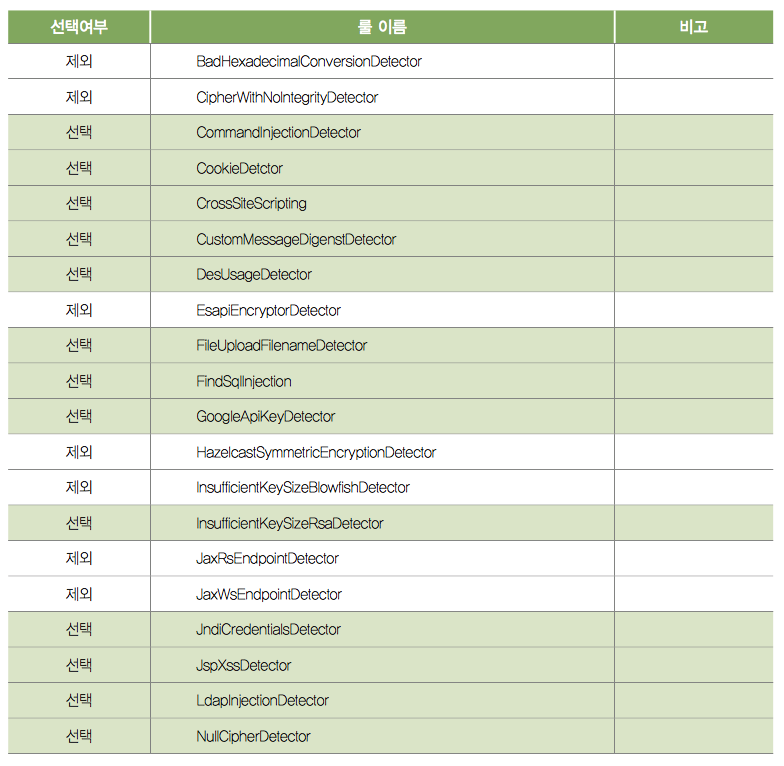
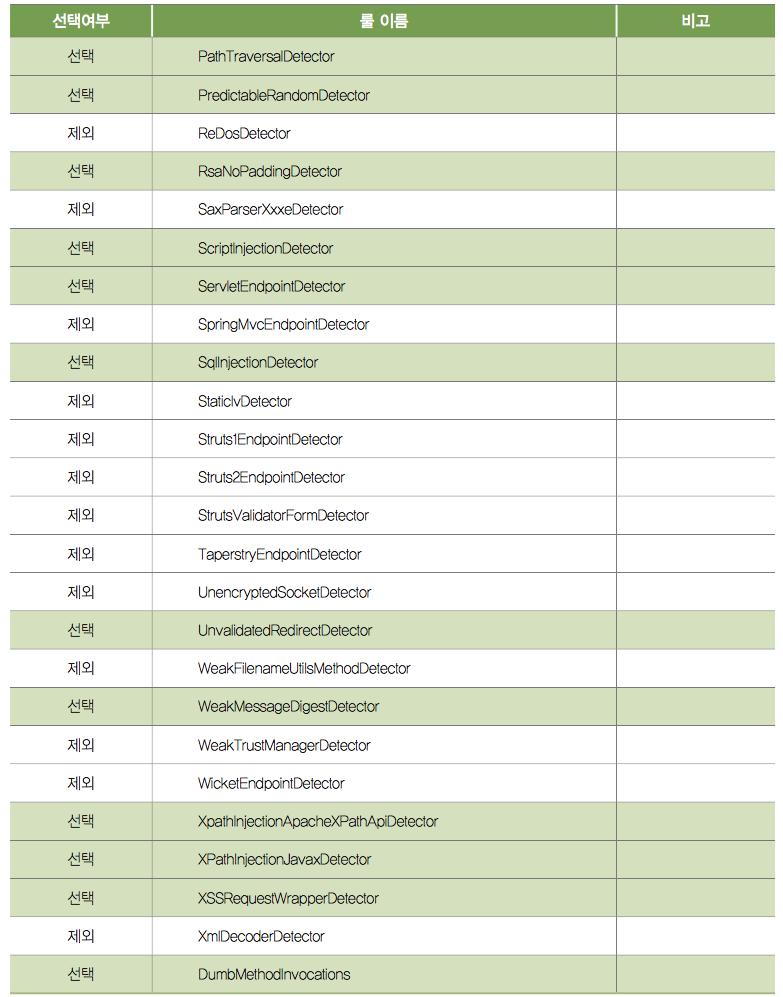
PMD 룰 셋
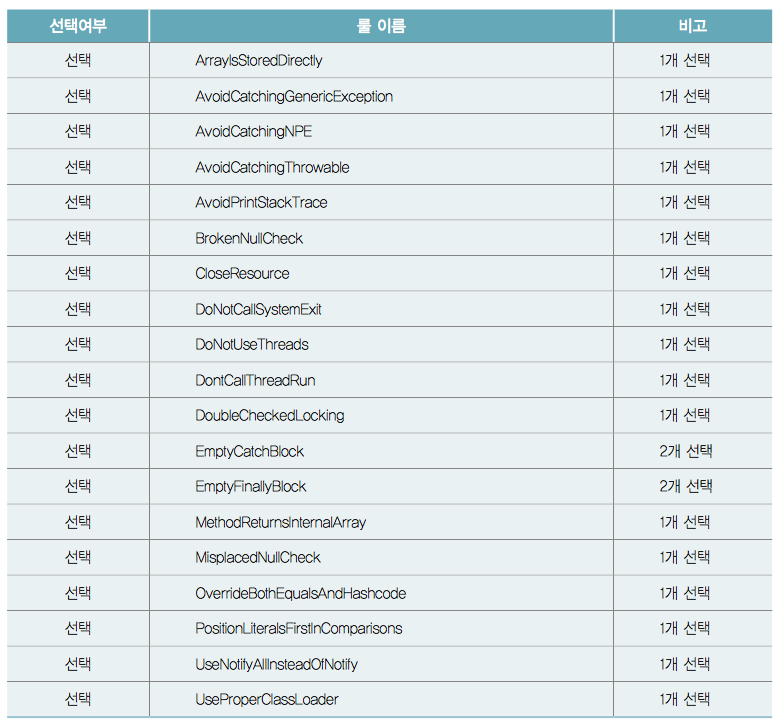
Sonar-Runner를 이용한 룰셋 동작 확인
Bamboo, Jenkins등과 같은 지속적인 통합 도구와 연동된 경우 프로젝트에 설정된 품질 프로파일을 통해 프로젝트가 자동으로 분석된다.
본 절에서는 Sonar-Runner를 이용해 임의의 프로젝트를 SonarQube에서 분석하는 방법에 대해 설명한다.
설치
여기에 다운로드 링크를 제공한다.
설치된 폴더에서 sonar-scanner.properties 파일에 sonarqube 서버 주소를 구성한다.
<install_directory>/conf/sonar-scanner.properties:
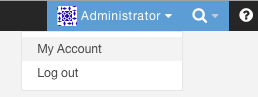
Security Token 생성
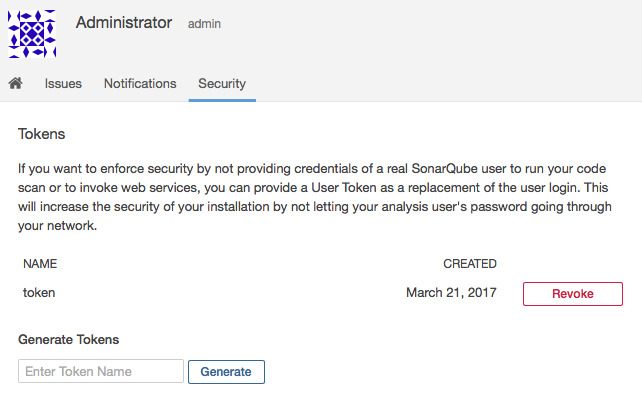
사용자 메뉴 >> My Account >> Security >> Tokens 화면의 Generate 버튼을 눌러 token을 생성한다.
소스코드 분석
분석하려는 프로젝트 최상위 폴더에 sonar-project.properties 파일을 생성하고 다음 예와 같이 정보를 설정한다. 주의할 점은 소스코드는 빌드 가능해야 한다.
| 코드 블럭 | ||
|---|---|---|
| ||
# must be unique in a given SonarQube instance
sonar.projectKey=my:project

# this is the name and version displayed in the SonarQube UI. Was mandatory prior to SonarQube 6.1.
sonar.projectName=My project
sonar.projectVersion=1.0

# Path is relative to the sonar-project.properties file. Replace "\" by "/" on Windows.
# Since SonarQube 4.2, this property is optional if sonar.modules is set.
# If not set, SonarQube starts looking for source code from the directory containing
# the sonar-project.properties file.

sonar.sources=.

# Encoding of the source code. Default is default system encoding
#sonar.sourceEncoding=UTF-8


# Security token
sonar.long=1d05a42e9fc445722b5616474a9b65f36c0f1eee |
소스코드 최상위 폴더에서 sonar-runner를 실행한다.